银河麒麟桌面版v10sp1安装redis
Redis安装(源码编译方式)
1. 安装编译依赖
sudo apt update
sudo apt install -y
sudo apt build-essential
sudo apt tcl
sudo apt ibjemalloc-dev
2. 下载Redis源码
wget https://download.redis.io/releases/redis-6.2.1.tar.gz
tar xzf redis-6.2.1.tar.gzcd redis-6.2.1
3. 编译安装
make
sudo make install
4. 配置Redis
bashCopy Code
sudo mkdir /etc/redis
sudo cp redis.conf /etc/redis/
sudo vim /etc/redis/redis.conf
修改以下关键配置:
bind 0.0.0.0
# 允许远程连接
protected-mode no
# 关闭保护模式
daemonize yes
# 后台运行
requirepass your_password
# 设置密码
5. 启动服务
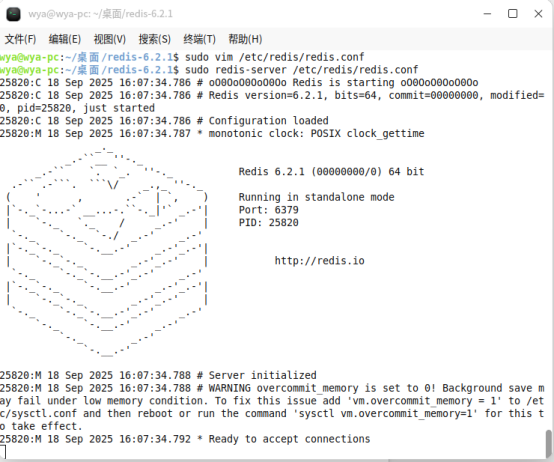
sudo redis-server /etc/redis/redis.conf
6. 验证安装
redis-cli -h 127.0.0.1 -p 6379 -a your_password
> set test_key "Hello Redis"
> get test_key

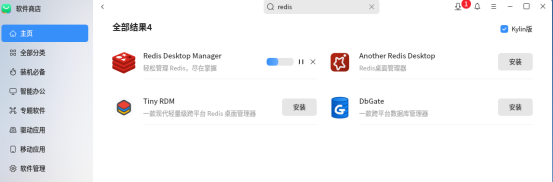
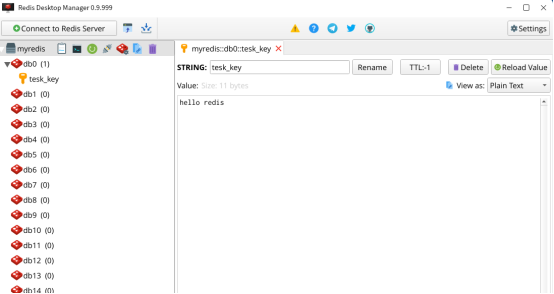
安装redis desktop manager管理器