
1、自由钢筋生成API
创建不受约束的自由形式钢筋。以后不能将约束添加到此钢筋。
public static Rebar CreateFreeForm(Document doc,RebarBarType barType,Element host,IList<CurveLoop> curves,out RebarFreeFormValidationResult error
)
通过此方法,可以创建一个或者多个钢筋,钢筋创建完成后,无法修改钢筋的约束,意思如下图,钢筋的约束定义将无法修改
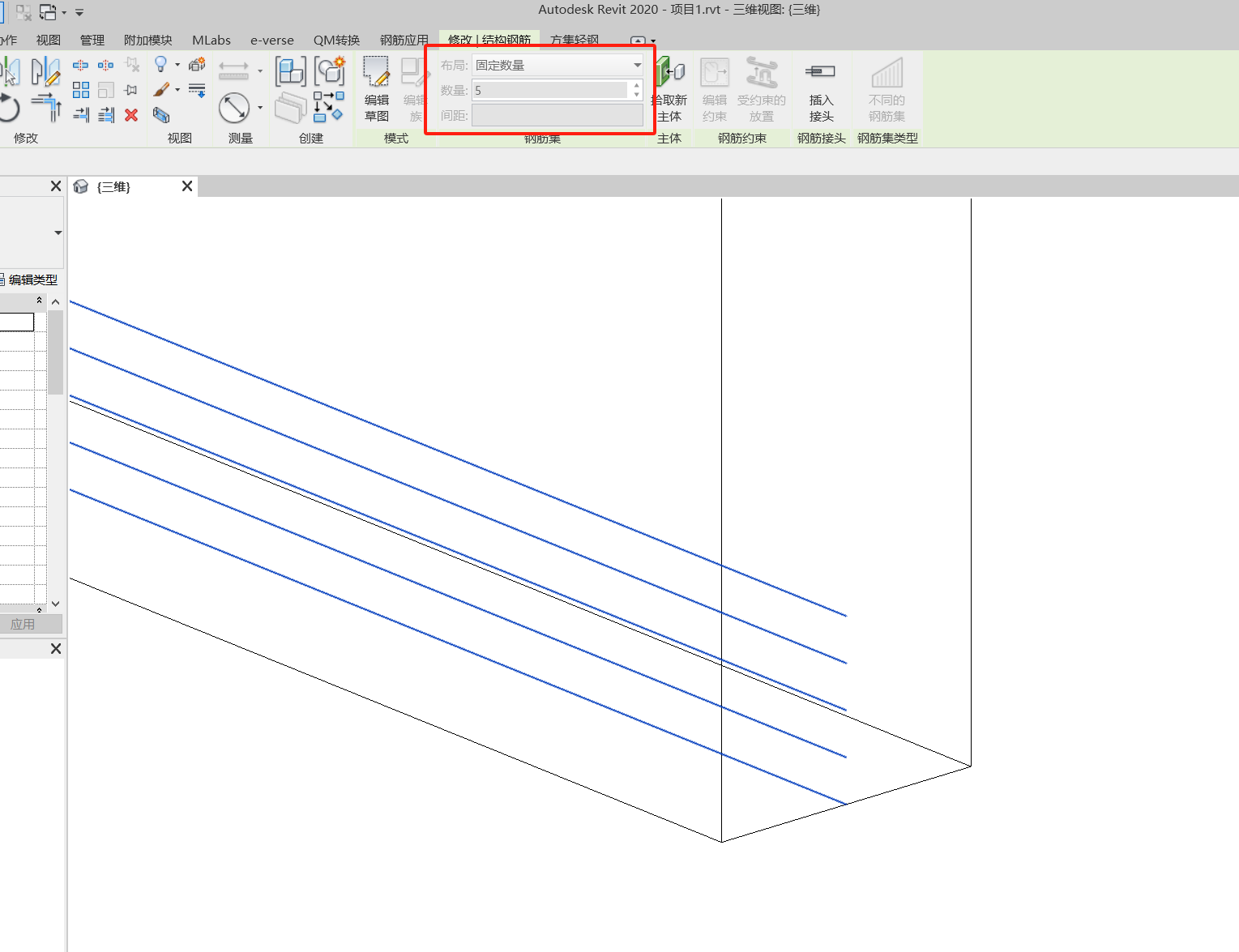
以上钢筋创建的案例代码如下:
using Autodesk.Revit.Attributes;
using Autodesk.Revit.DB;
using Autodesk.Revit.DB.Structure;
using Autodesk.Revit.UI;
using Autodesk.Revit.UI.Selection;
using System;
using System.Collections.Generic;namespace RebarExample.Cmds
{[Transaction(TransactionMode.Manual)][Regeneration(RegenerationOption.Manual)]public class CreateFreeForm2 : IExternalCommand{public Result Execute(ExternalCommandData commandData, ref string message, ElementSet elements){try{Document doc = commandData.Application.ActiveUIDocument.Document;if (doc == null)return Result.Failed;//查找到钢筋类型FilteredElementCollector fec = new FilteredElementCollector(doc).OfClass(typeof(RebarBarType));if (fec.GetElementCount() <= 0)return Result.Failed;RebarBarType barType = fec.FirstElement() as RebarBarType;//启动事务using (Transaction tran = new Transaction(doc, "CreateFreeForm2")){Element host = null;Selection sel = commandData.Application.ActiveUIDocument.Selection;try{//选择主体对象Reference hostRef = sel.PickObject(ObjectType.Element, "Select Host");host = doc.GetElement(hostRef.ElementId);if (host == null)return Result.Failed;}catch (Exception e){message = e.Message;return Result.Failed;}tran.Start();this.CreateFreeForm(doc, barType, host);tran.Commit();}return Result.Succeeded;}catch (Exception ex){message = ex.Message;return Result.Failed;}}/// <summary>/// 创建钢筋/// </summary>/// <param name="doc"></param>/// <param name="barType"></param>/// <param name="host"></param>private void CreateFreeForm(Document doc, RebarBarType barType, Element host){IList<CurveLoop> curves = new List<CurveLoop>();if (host is Wall wall){//创建钢筋var wline = (wall.Location as LocationCurve).Curve;if (wline != null){for (var i = 0; i < 5; i++){CurveLoop p = new CurveLoop();var start = wline.GetEndPoint(0);var end= wline.GetEndPoint(1);p.Append(Line.CreateBound(new XYZ(start.X,start.Y,start.Z+i*0.1),new XYZ(end.X,end.Y,end.Z+i*0.1)));curves.Add(p);}}}RebarFreeFormValidationResult error;Rebar rebar = Rebar.CreateFreeForm(doc, barType, host, curves, out error);}}
}