RotateButton.axaml代码
<Window xmlns="https://github.com/avaloniaui"xmlns:x="http://schemas.microsoft.com/winfx/2006/xaml"xmlns:d="http://schemas.microsoft.com/expression/blend/2008"xmlns:mc="http://schemas.openxmlformats.org/markup-compatibility/2006"Width="300" Height="300"x:Class="AvaloniaUI.RotateButton"Title="RotateButton"><Window.Styles><!-- 针对所有 Button 的基础样式 --><Style Selector="Button"><Setter Property="HorizontalAlignment" Value="Center"/><Setter Property="RenderTransformOrigin" Value="50%,50%"/><Setter Property="Padding" Value="20,15"/><Setter Property="Margin" Value="2"/><Setter Property="RenderTransform"><Setter.Value><RotateTransform Angle="0"/></Setter.Value></Setter><Style Selector="^:pointerover"><Style.Animations><Animation Duration="0:0:2" IterationCount="INFINITE" FillMode="None"><KeyFrame Cue="0%"><Setter Property="RotateTransform.Angle" Value="0"/></KeyFrame><KeyFrame Cue="100%"><Setter Property="RotateTransform.Angle" Value="360"/></KeyFrame></Animation></Style.Animations></Style><Style Selector="^:not(:pointerover)"><Style.Animations><Animation Duration="0:0:0.18" FillMode="Forward"><KeyFrame Cue="100%"><Setter Property="RotateTransform.Angle" Value="0"/></KeyFrame></Animation></Style.Animations></Style></Style></Window.Styles><StackPanel Margin="5" Button.Click="cmd_Clicked"><Button>One</Button><Button>Two</Button><Button>Three</Button><Button>Four</Button><TextBlock Name="lbl" Margin="5"/></StackPanel>
</Window>
RotateButton.axaml.cs代码
using Avalonia;
using Avalonia.Controls;
using Avalonia.Interactivity;
using Avalonia.Markup.Xaml;
using Shares.Avalonia;namespace AvaloniaUI;public partial class RotateButton : Window
{public RotateButton(){InitializeComponent();}private void cmd_Clicked(object? sender, RoutedEventArgs e){lbl.Text = "You clicked: " + ((Button)e.Source!).Content;}
}
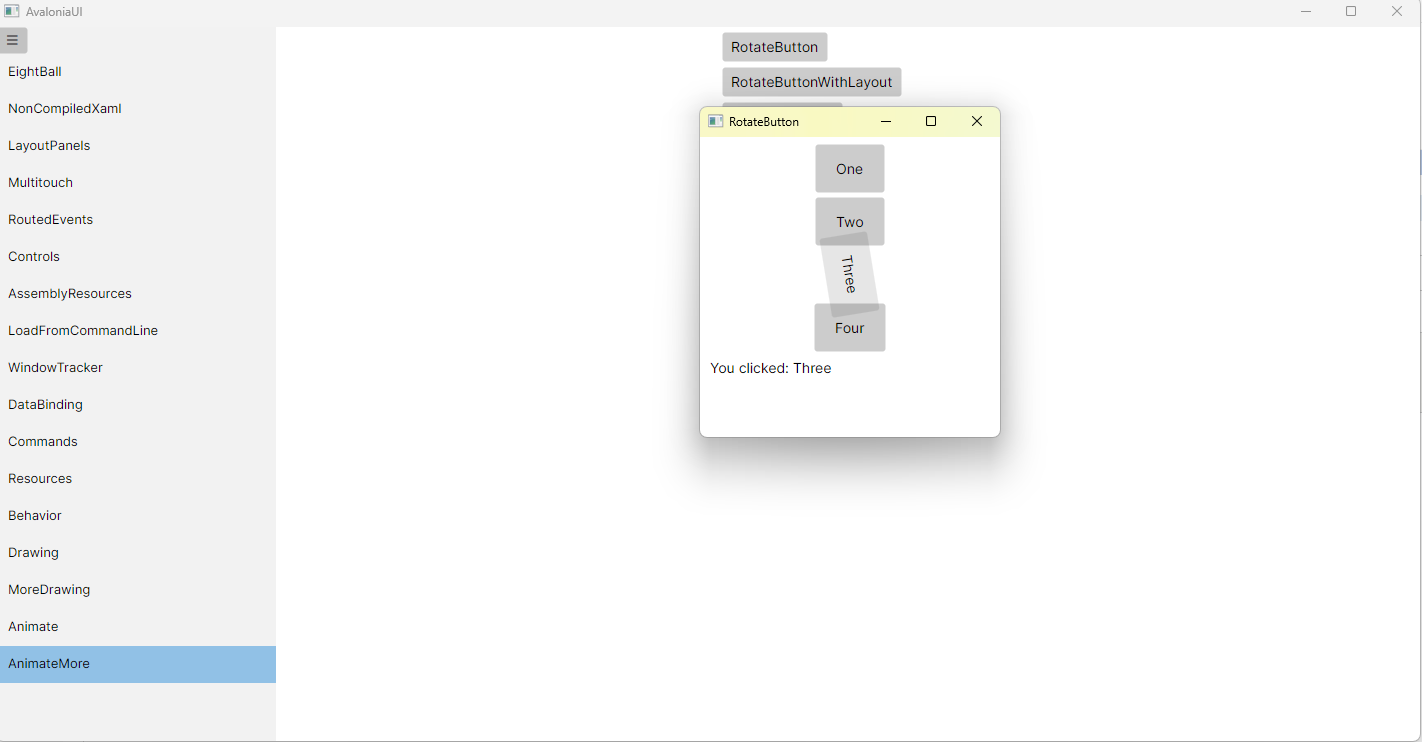
运行效果