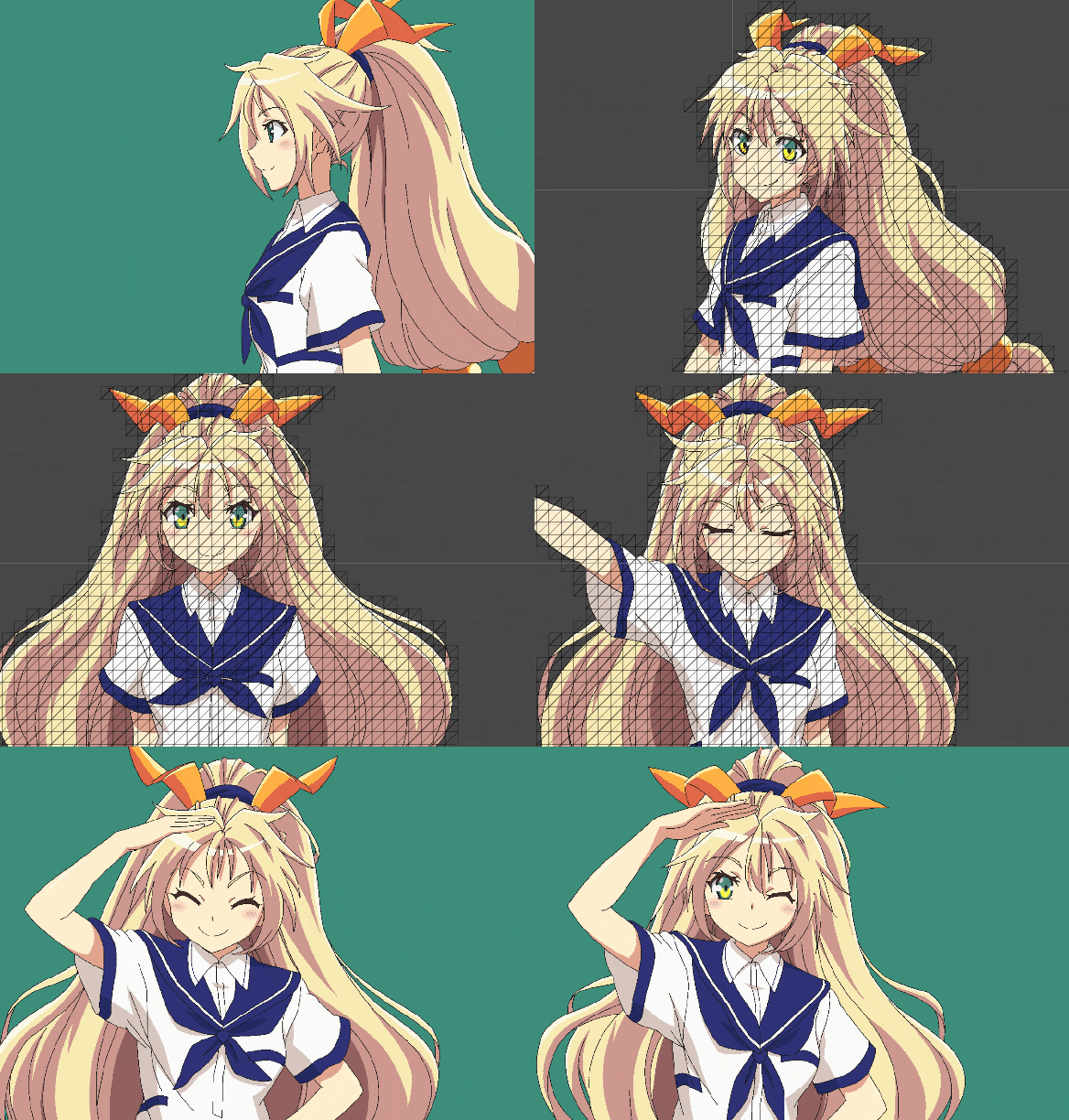
SpriteDicing has a Unity integration with full-fledged atlas editor. It communicates with the Rust libraries via C ABI and outputs native Unity sprite assets.
The extension package bundles pre-built binaries for Windows x64, Mac ARM and Linux x64. All the code is editor-only, so this covers all the Unity editor-supported platforms.
Minimum supported Unity version: 2022.3. For previous Unity versions use legacy v1.x branch: https://github.com/elringus/sprite-dicing/tree/arch/v1.
安装
使用 Unity 包管理器 将该包作为远程 git 包安装,要使用的 URI 如下:
https://github.com/elringus/sprite-dicing.git?path=/plugins/unity/Assets/SpriteDicing
替代方案:也可以克隆仓库并安装 扩展目录 作为本地包。
使用方法
- 使用
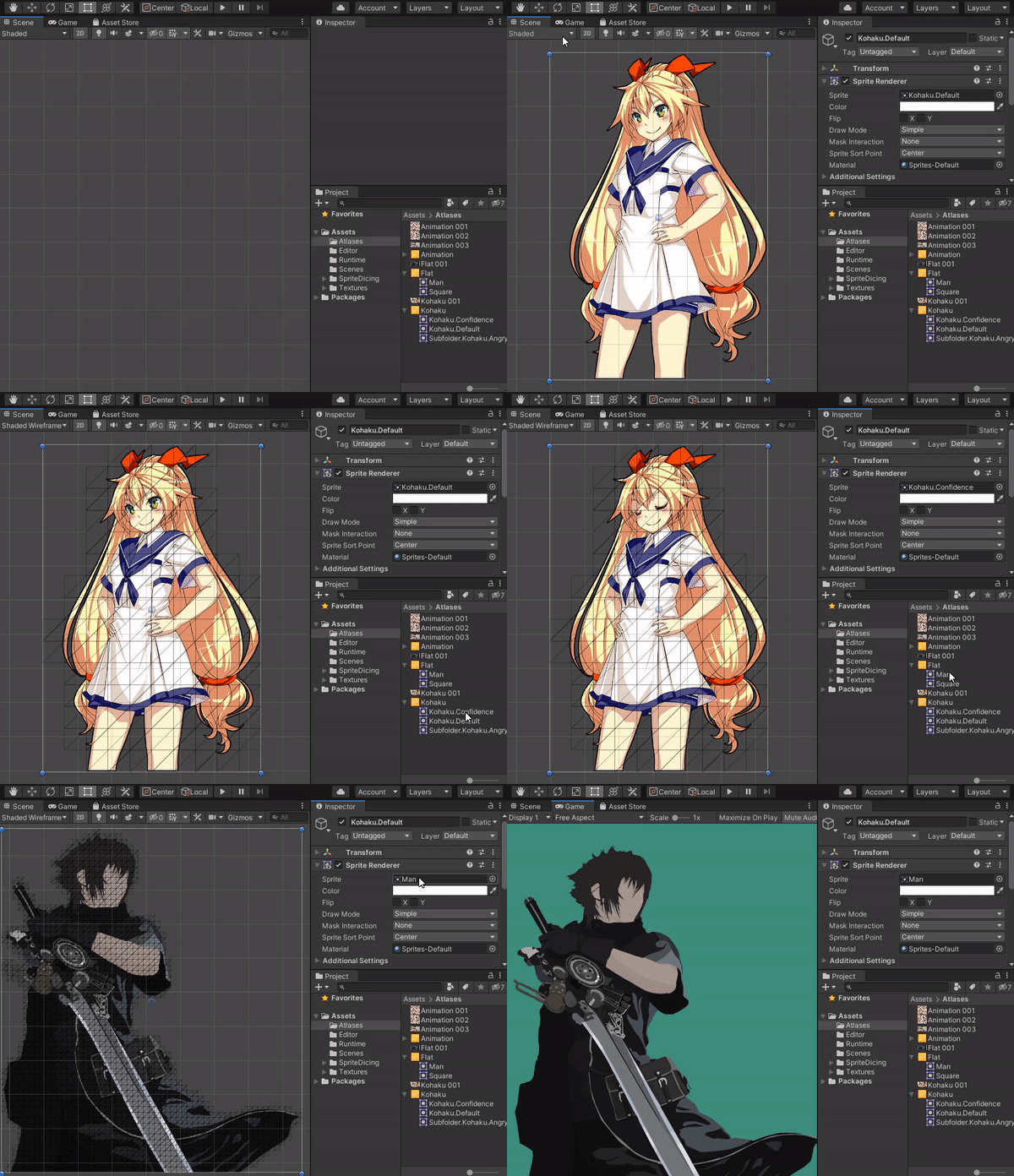
Assets -> Create -> Diced Sprite Atlas菜单选项创建DicedSpriteAtlas资源,并选中它; - 指定
Input Folder— 项目目录,包含要处理的源纹理。您可以从项目层级窗口拖放文件夹,或使用对象选择器选择一个文件夹; - 点击
Build Atlas按钮,并等待过程完成; - 生成的精灵图会出现在 atlas 资产中;像普通精灵图一样将它们拖放到场景中。
Atlas Generation Options
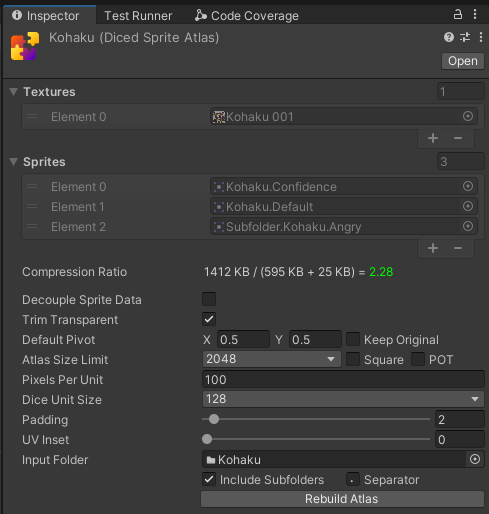
You can optionally configure atlas generation settings via the editor inspector window.
| Option | Description |
|---|---|
| Decouple Sprite Data | Whether to save sprite assets in a separate folder instead of adding them as childs of the atlas asset. |
| Trim Transparent | Whether to discard fully-transparent diced units on the generated mesh. Disable to preserve original texture dimensions (usable for animations). |
| Default Pivot | Relative pivot point position in 0 to 1 range, counting from the bottom-left corner. Can be changed after build for each sprite individually. |
| Keep Original | Whether to use pivot set on source textures (if any) instead of default. |
| Atlas Size Limit | Maximum size of a single generated atlas texture; will generate multiple textures when the limit is reached. |
| Square | The generated atlas textures will always be square. Less efficient, but required for PVRTC compression. |
| POT | The generated atlas textures will always have width and height of power of two. Extremely inefficient, but may be required by some older GPUs. |
| Pixels Per Unit | How many pixels in the sprite correspond to the unit in the world. |
| Dice Unit Size | The size of a single diced unit. |
| Padding | The size of a pixel border to add between adjacent diced units inside atlas. Increase to prevent texture bleeding artifacts (usually appear as thin gaps between diced units). Larger values will consume more texture space, but yield better anti-bleeding results. Minimum value of 2 is recommended in most cases. When 2 is not enough to prevent bleeding, consider adding a bit of UV Inset before increasing the padding. |
| UV Inset | Relative inset of the diced units UV coordinates. Can be used in addition to (or instead of) Padding to prevent texture bleeding artifacts. Won't consume any texture space, but higher values could visually distort the final result. |
| Input Folder | Asset folder with source sprite textures. |
| Include Subfolders | Whether to recursively search for textures inside the input folder. |
| Separator | When sprite is from a sub-folder(s), the separator will be used to join the folder name(s) and the sprite name. |
All the above descriptions are available as tooltips when hovering corresponding configuration options in the editor.
Compression Ratio
When inspecting atlas asset, notice Compression Ratio line; it shows the ratio between source textures size and generated data (atlas textures + sprite meshes).

When close to 1 or lower, the value will be in yellow/red color indicating the generated data size is close to or even larger than the source and you should either change atlas generation configuration (eg, increase dice unit size) or not use the solution at all.
uGUI
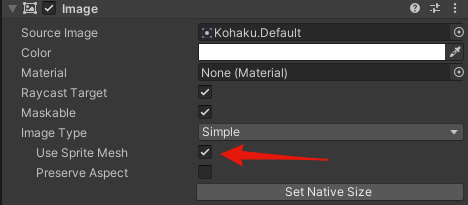
To use the diced sprites in with Unity UI (aka uGUI), enable Use Sprite Mesh. In case the option is not available, make sure to assign a source image.
UI Toolkit
Diced sprites are normal Unity sprite assets and can be assigned as source for various visual UI Toolkit elements, no additional setup is required. Check "UI" scene in the samples directory for an example.
动画
It's possible to use diced sprites for animation. Make sure to disable Trim Transparent when generating the atlas to preserve relative positions of the generated sprites. An example on animating diced sprites is available in "Animation" scene.