

前言
换mac了,折腾一天抓包,终于成功抓上了。
BurpSuite下载: https://www.52pojie.cn/thread-2005151-1-1.html
proifier下载:https://www.proxifier.com/
proifier注册机:https://github.com/y9nhjy/Proxifier-Keygen
一、安装proifier
先正常安装proifier本体,打开注册机运行:
python3 Proxifier_Keygen.py -v mac
# 57J8Z-D2QD5-A37WU-LEG4E-43WYH
即可完成安装
二、安装bp
先下载这两个:

系统安装java:
brew install --cask temurin

解压成这样子,把macOS解压入压缩包,然后运行:
chmod +x ./macOS/CN_Burp.sh
chmod +x ./macOS/Start.sh
chmod +x ./macOS/jre/Contents/Home/bin/java
下一步就是:
java -jar burpsuitloader.jar -r
java -jar burpsuite_pro_org -r
下一步就是按照刚刚连接里的教程进行就好,唯一的区别就是上面的步骤,macos一键脚本是启动不了bp的。
三、设置抓包
bp导出证书

运行:
sudo security add-trusted-cert -d -r trustRoot -k /Library/Keychains/System.keychain <替换你的证书名称>
安装证书
然后在proifier设置服务器

跟着设置

然后点:


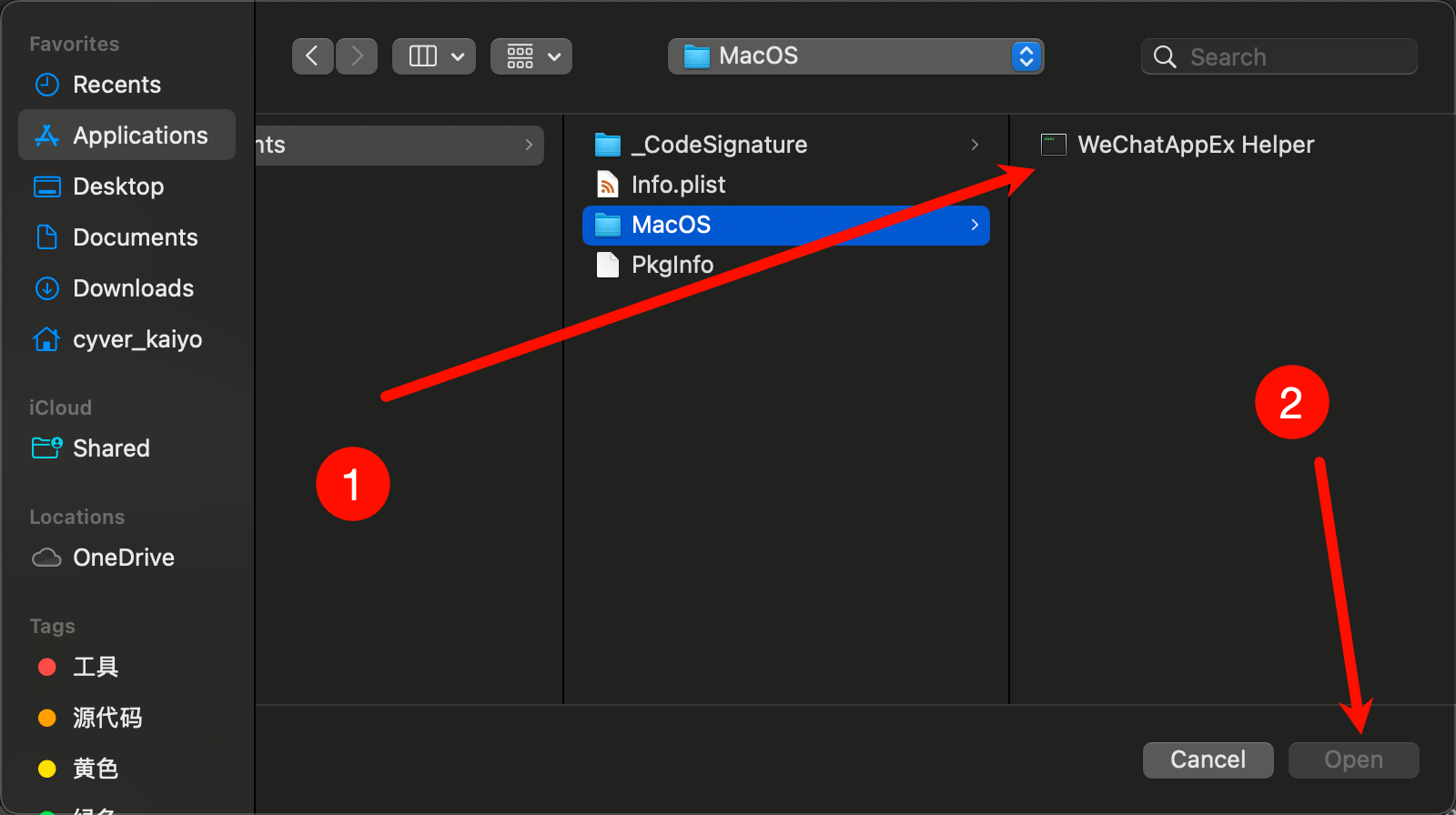
按command + shift + g

输入:
WeChat.app/Contents/MacOS/WeChatAppEx.app/Contents/Frameworks/WeChatAppEx Framework.framework/Versions/C/Helpers/WeChatAppEx Helper.app/Contents/MacOS/
进入选择
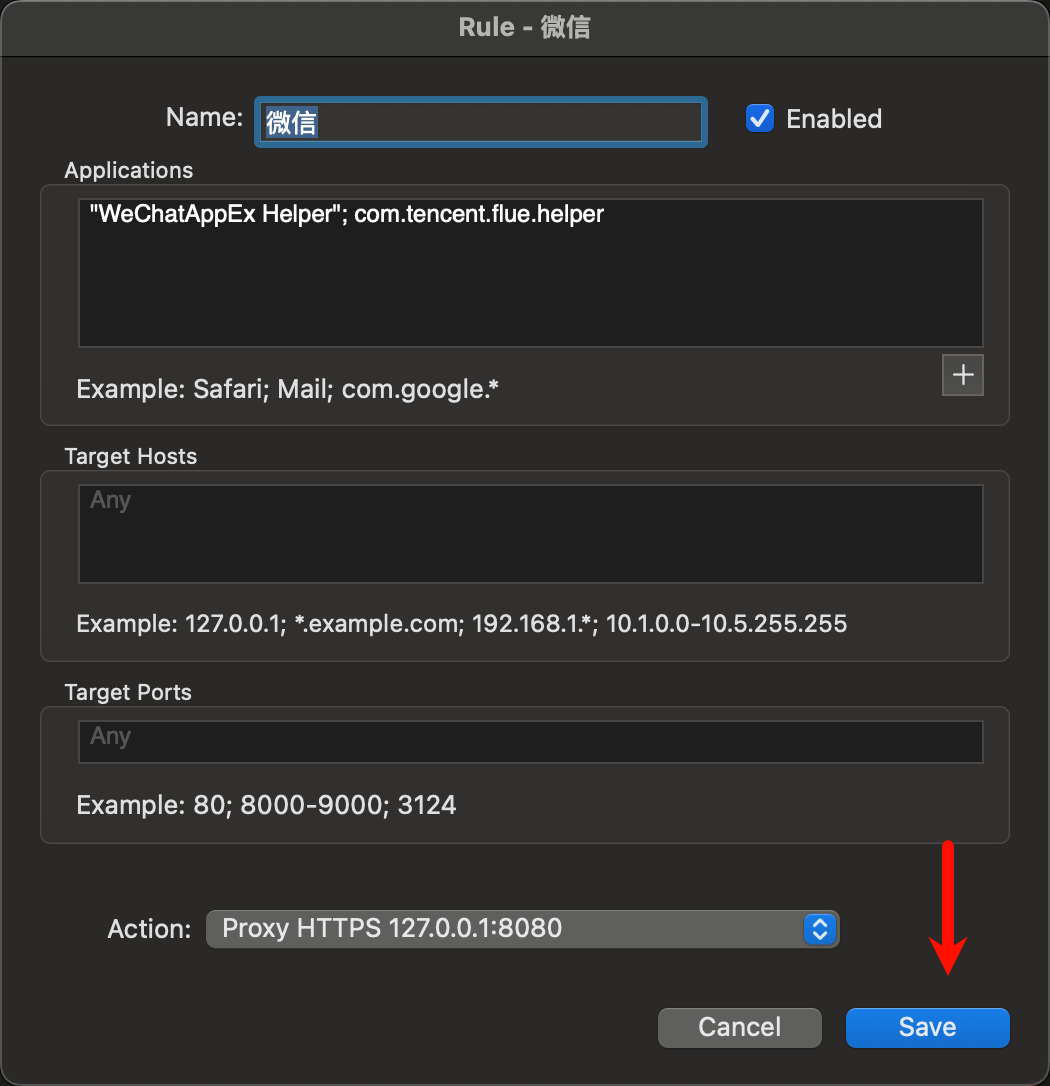
记得启用

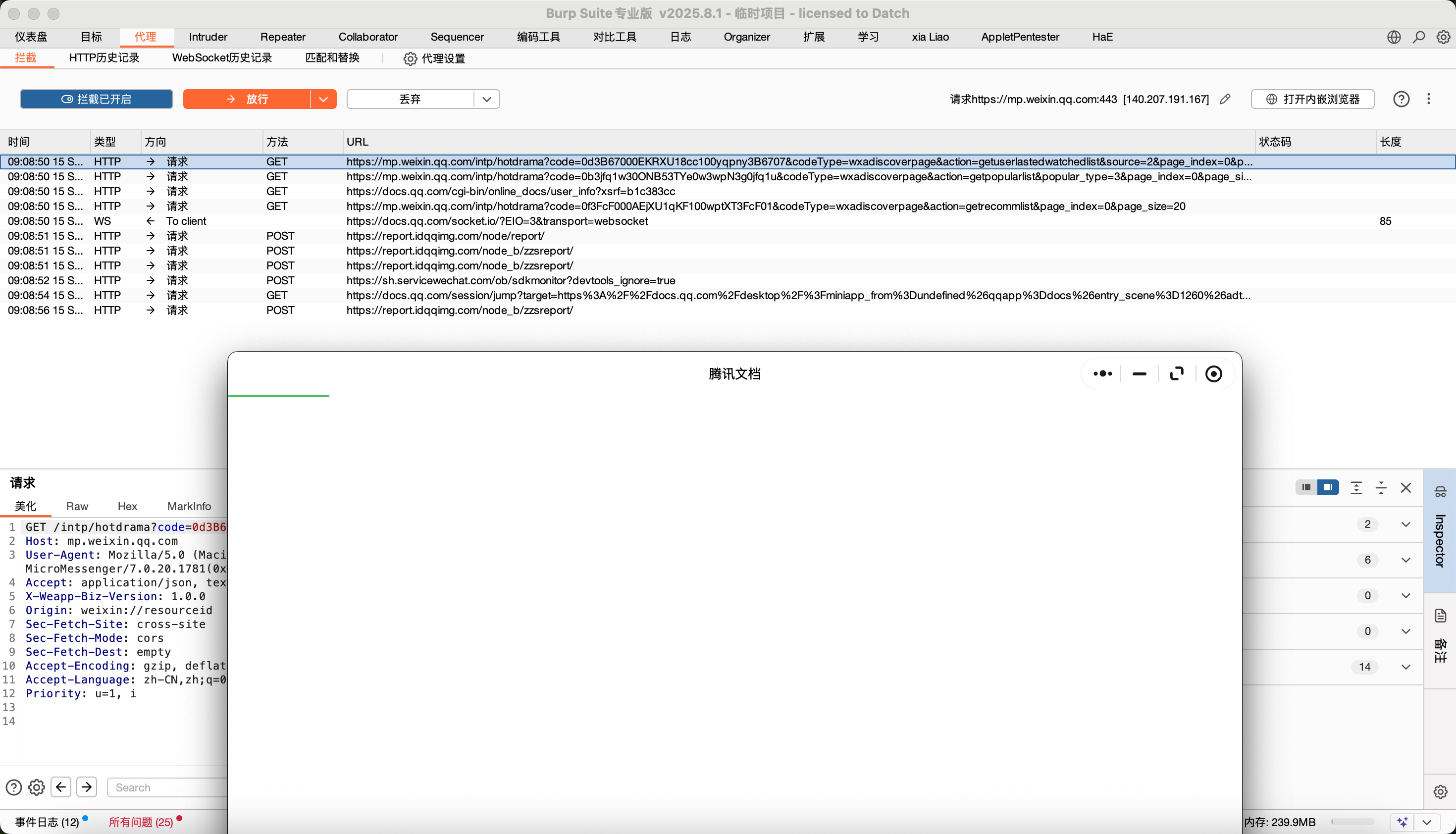
成功
结尾
macos还是好用滴


:观察者模式——对象联动通知,解耦依赖关系)
入门与实践:让 AI 真正连接你的工具链)


与电源系统设计:从电气规格到工程实践)


